


🎁 Introduction
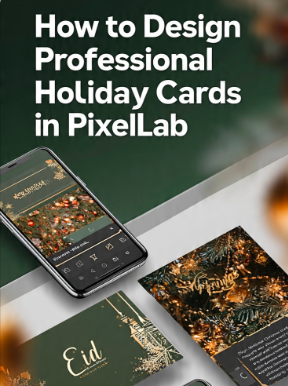
Holiday cards remain one of the most meaningful ways to share appreciation, celebrate special occasions, and strengthen relationships with family, friends, customers, and colleagues. Whether you’re designing a Christmas greeting, a New Year celebration card, a Thanksgiving message, or a seasonal business promotion, a professionally designed holiday card creates a lasting impression and reflects your creativity.
Today, you don’t need expensive desktop software to create high-quality greeting cards. PixelLab provides a powerful yet easy-to-use platform that allows you to design elegant holiday cards directly from your Android device. With advanced typography tools, layers, custom fonts, gradients, shapes, shadows, and image editing features, PixelLab gives both beginners and experienced designers the flexibility to produce professional-looking results.
In this complete guide, you’ll learn how to design professional holiday cards in PixelLab using proven graphic design principles. From choosing the right canvas size and festive color palette to creating balanced layouts and exporting your design in high resolution, every step is explained in detail. By the end of this tutorial, you’ll have the skills to create eye-catching cards suitable for digital sharing, social media, email campaigns, or high-quality printing.
⭐ Why Holiday Card Design Matters
A thoughtfully designed holiday card is more than a seasonal greeting—it is a visual representation of your message and your personal or business identity. Whether you are sending cards to loved ones or customers, a polished design helps communicate warmth, professionalism, and attention to detail.
🎯 Creates a Memorable First Impression
Your holiday card is often the first thing people notice before reading your message. An attractive design with harmonious colors, elegant typography, and festive imagery immediately captures attention and encourages recipients to engage with your greeting. A memorable first impression can make your card stand out from the many others people receive during the holiday season.
❤️ Strengthens Personal and Business Relationships
Businesses use them to thank customers, while individuals use them to express love and gratitude to family and friends. A professionally designed card reflects care and effort, helping strengthen relationships and build trust.
🌍 Suitable for Multiple Holidays
One of the advantages of designing your own holiday cards in PixelLab is the flexibility to customize them for different celebrations. With a few design changes, you can create cards for Christmas, New Year, Thanksgiving, Easter, Valentine’s Day, Halloween, or any special occasion. This saves time while maintaining a consistent design style.
📱 Perfect for Digital and Print Use
Modern holiday cards are shared in many ways, including social media, messaging apps, email newsletters, and printed copies. By designing your card with the correct dimensions and high-quality graphics, you ensure it looks professional across every platform.
📱 Why Choose PixelLab for Holiday Card Design?
PixelLab has become one of the most popular mobile graphic design applications because it combines powerful creative tools with an intuitive interface. Whether you’re creating a simple greeting card or a detailed festive illustration, PixelLab provides the flexibility needed to bring your ideas to life.
✍️ Advanced Typography Features
Holiday cards rely heavily on typography to communicate seasonal greetings. PixelLab offers a wide range of text customization options, including custom fonts, drop shadows, outlines, gradients, reflections, and spacing controls. These features allow you to create elegant greetings that are both readable and visually appealing.
🎨 Flexible Layer Management
Each element in your design—such as text, decorative graphics, snowflakes, ornaments, or photos—can be placed on separate layers. This makes editing easier and helps you create balanced, professional layouts without disturbing other parts of the design.
🌈 Rich Creative Effects
PixelLab includes creative tools like gradients, strokes, shadows, perspective transformations, stickers, and shapes. When used thoughtfully, these effects add depth and festive character to your holiday card while maintaining a clean and polished appearance.
📱 Design from Anywhere
Unlike desktop software that requires a computer, PixelLab allows you to create high-quality greeting cards directly from your smartphone. This convenience makes it ideal for freelancers, students, small business owners, and anyone who enjoys designing on the go.
💰 Cost-Effective Design Solution
PixelLab provides professional-level features without the need for expensive design software. It is an excellent choice for users who want to create beautiful holiday cards while keeping design costs low.
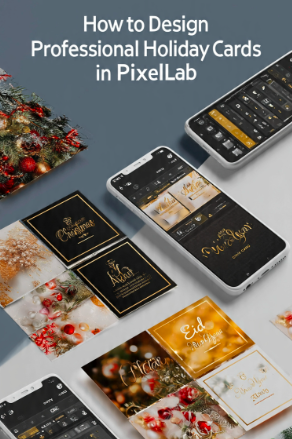
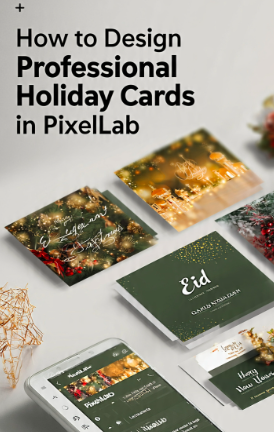
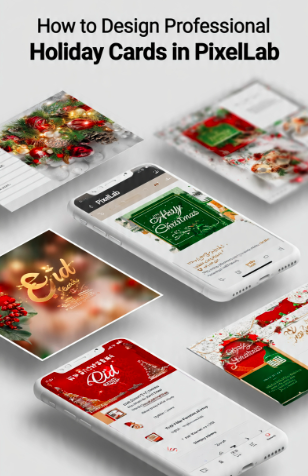
📐 Recommended Holiday Card Sizes
Choosing the correct canvas size is essential for ensuring your holiday card looks sharp and professional on both digital platforms and printed materials. The ideal dimensions depend on how you plan to share your design.
| 🎁 Card Type | 📐 Recommended Size |
|---|---|
| Instagram Greeting Card | 1080 × 1080 px |
| Facebook Holiday Post | 1200 × 630 px |
| Greeting WhatsApp | 1080 × 1920 px |
| Printable Greeting Card | A5 or 5 × 7 inches |
| Email Banner Greeting | 1200 × 600 px |