

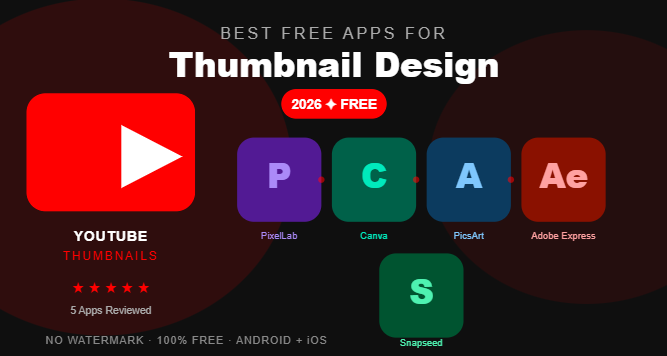
The best free apps for YouTube thumbnail design in 2026 are PixelLab, Canva, PicsArt, Adobe Express, and Snapseed. All five are free to download, require no design experience, and let you create professional thumbnails directly from your Android or iOS device without adding a watermark.
YouTube Thumbnail Matters
You spent hours filming and editing your video. You wrote the perfect title. You optimized every tag.
But if your thumbnail looks amateur, nobody clicks.
Studies consistently show that thumbnails are the single biggest factor in a viewer’s decision to click on a video. A great thumbnail can double or even triple your click-through rate. A weak thumbnail wastes all the effort you put into everything else.
The good news is you do not need expensive software or a graphic design degree to create thumbnails that stop the scroll. The five apps in this guide are completely free, beginner-friendly, and powerful enough to rival thumbnails produced in professional studios.
What Makes a Great YouTube Thumbnail?
Before diving into the apps, it helps to understand what separates a high-performing thumbnail from one that gets ignored.
A great YouTube thumbnail has four qualities. First, it creates instant curiosity — the viewer sees it and immediately wants to know more. Second, it is readable at small sizes — remember, most people browse YouTube on their phones. Third, it has strong contrast — bold colors and clear separation between elements. Fourth, it shows a clear focal point — one main subject, one main message.
Keep these four principles in mind as you use any of the apps below.
Quick Comparison Table
| App | Best For | Text Effects | Works Offline | Watermark | Platform |
|---|---|---|---|---|---|
| PixelLab | 3D text and bold typography | Excellent | Yes | No | Android |
| Canva | Templates and fast design | Good | No | No | Android + iOS |
| PicsArt | Creative effects and collages | Good | Partial | Sometimes | Android + iOS |
| Adobe Express | Clean professional look | Very Good | No | No | Android + iOS |
| Snapseed | Photo quality enhancement | Basic | Yes | No | Android + iOS |
1. PixelLab — Best Free App for Bold Thumbnail Text
Developer: Imagin Studio Platform: Android only Rating: 4.3/5 on Google Play Download: Free with optional purchases
If there is one app every YouTube creator should have on their phone, it is PixelLab. It was practically built for thumbnail design.
Why PixelLab Dominates Thumbnail Design
The biggest challenge with YouTube thumbnails is making text look powerful and readable even at small sizes. PixelLab solves this better than any other free mobile app.
Its 3D text engine lets you create text with depth, shadow, glow, and outline effects that make your titles literally pop off the screen. You can curve text, stack multiple text layers, adjust letter spacing, and mix different fonts in the same design.
For YouTube thumbnails specifically, this matters enormously. The difference between a flat text overlay and a well-crafted 3D title is often the difference between a 2 percent click-through rate and an 8 percent click-through rate.

What You Can Do for Free
- Create 3D text with depth and shadow effects
- Access hundreds of built-in fonts
- Remove image backgrounds
- Add stickers, shapes, and design elements
- Export in high resolution without a watermark
- Work completely offline without internet
Best PixelLab Settings for YouTube Thumbnails
Set your canvas to 1280 x 720 pixels when starting a new project. This is the standard YouTube thumbnail size. Use font sizes above 80pt for main text to ensure readability on mobile screens. Add a dark outline or shadow to all text so it remains visible against any background color.
Pros
- Best 3D text effects of any free mobile app
- No watermark on exports
- Works fully offline
- Lightweight and fast on all Android devices
- Completely free for core features
Cons
- Android only — no iPhone version
- Some premium fonts require payment
- No ready-made thumbnail templates
Who Should Use PixelLab
YouTubers who want full creative control over their thumbnail text. If you have a specific vision and want to build it from scratch with powerful typography tools, PixelLab is your best option.
2. Canva — Best Free App for Thumbnail Templates
Developer: Canva Pty Ltd Platform: Android and iOS Rating: 4.5/5 on Google Play Download: Free with Canva Pro option
Canva is the world’s most popular design tool, and its YouTube thumbnail templates are genuinely impressive. If you need a professional-looking thumbnail in under two minutes, Canva is the fastest way to get there.
Why Canva Works So Well for Thumbnails
Canva has hundreds of free YouTube thumbnail templates designed by professional graphic designers. Each template is already sized correctly at 1280 x 720 pixels. You simply pick a template that matches your video topic, swap the text and photo, and download.
For creators who upload frequently — daily or multiple times per week — this speed is a massive advantage. You can maintain consistent, high-quality thumbnail design without spending more than a few minutes per video.
What You Can Do for Free
- Access hundreds of free YouTube thumbnail templates
- Upload your own photos and place them in templates
- Use thousands of free stock photos and design elements
- Customize colors, fonts, and layouts
- Download finished thumbnails without a watermark
- Share and collaborate with team members
Best Canva Tips for YouTube Thumbnails
Search specifically for “YouTube thumbnail” in Canva’s template library to find templates already sized correctly. Filter by your video niche — gaming, cooking, lifestyle, education — to find relevant designs. Always replace the template photo with your own face or a relevant image to make thumbnails feel personal and authentic.
Pros
- Fastest thumbnail creation of any app on this list
- Professionally designed templates
- No watermark on free downloads
- Available on Android, iOS, and web browsers
- No design experience required
Cons
- Many premium templates require a Canva Pro subscription
- Requires an internet connection to use
- Less creative control compared to building from scratch
- Templates can look similar to other creators using the same design
Who Should Use Canva
High-frequency uploaders, beginners, and creators who want consistent quality without spending much time on design. Canva is also ideal if you manage a team or work with a video editor who needs to access your designs.
3. PicsArt — Best Free App for Creative Thumbnail Effects
Developer: PicsArt Inc Platform: Android and iOS Rating: 4.2/5 on Google Play Download: Free with Gold subscription option
PicsArt brings a creative, artistic approach to thumbnail design that the other apps on this list cannot fully match. Its collection of filters, effects, and artistic tools makes it the best choice for thumbnails that need to stand out through visual creativity rather than just bold text.
Why PicsArt Stands Out
PicsArt excels at background manipulation and creative photo effects. For thumbnails that feature a dramatic photo edit — neon glows, cinematic color grading, double exposure effects, or fantasy-style visuals — PicsArt gives you tools that would normally require expensive desktop software.
Its AI background remover is particularly useful for thumbnail design. You can cut yourself out of any photo and place yourself against a dramatic background in seconds, creating the kind of polished composite image that top YouTubers use.
What You Can Do for Free
- Remove backgrounds from photos with AI
- Apply hundreds of artistic filters and effects
- Create photo collages and multi-image layouts
- Add text with various styling options
- Access thousands of free stickers and overlays
- Use drawing tools to add custom elements
Best PicsArt Tips for YouTube Thumbnails
Use PicsArt to handle the photo editing portion of your thumbnail — background removal, color enhancement, dramatic effects — then bring the edited image into PixelLab to add your text. This combination gives you the best of both apps and produces thumbnails that look genuinely professional.
Pros
- Best creative photo effects of any free app
- Strong AI background removal tool
- Regular new content and effects added
- Works well for artistic and creative niches
- Large community sharing templates and ideas
Cons
- Free version adds a watermark on some features
- Heavy app — uses significant storage space
- Export quality is sometimes limited in the free tier
Who Should Use PicsArt
Creators in creative niches — gaming, art, lifestyle, and entertainment — who want thumbnails that look visually dramatic and artistic. Also great for anyone who needs strong photo editing before finalizing their thumbnail design.
4. Adobe Express — Best Free App for Clean Professional Thumbnails
Developer: Adobe Inc Platform: Android and iOS Rating: 4.4/5 on Google Play Download: Free with Adobe Premium option
Adobe Express brings the trusted Adobe design quality to mobile for free. If you want thumbnails that look clean, corporate, and professionally polished — without a lot of creative complexity — Adobe Express delivers that consistently.
Why Adobe Express Works for Thumbnails
Adobe Express has a library of YouTube thumbnail templates that feel distinctly more polished than many competitors. The typography tools are excellent, and the color palette suggestions are genuinely helpful for creators who struggle with color combinations.
The app also integrates with Adobe Stock, giving free users access to a large library of high-quality photos to use in their thumbnail designs.
What You Can Do for Free
- Access professionally designed YouTube thumbnail templates
- Use Adobe Stock photos in your designs
- Apply clean, professional typography
- Customize colors with smart palette suggestions
- Remove photo backgrounds
- Download without a watermark on the free plan
Best Adobe Express Tips for YouTube Thumbnails
Use the brand kit feature to save your channel colors and fonts. This ensures every thumbnail maintains consistent branding, which builds recognition with your audience over time.
Pros
- Cleanest and most professional template quality
- Adobe Stock photo integration
- Excellent typography tools
- No watermark on free downloads
- Available on Android, iOS, and web
Cons
- Smaller template library than Canva
- Some features are locked behind Adobe Premium
- Requires an Adobe account to use
- Less suitable for bold 3D or artistic effects
Who Should Use Adobe Express
Creators in educational, business, finance, or professional niches where a clean and trustworthy visual style matters. Also great for creators who are already using other Adobe products.
5. Snapseed — Best Free App for Thumbnail Photo Enhancement
Developer: Google Platform: Android and iOS Rating: 4.4/5 on Google Play Download: Completely free, no purchases
Snapseed is not primarily a thumbnail design app — it is a photo editor. But it earns its place on this list because the quality of your thumbnail photo is just as important as the design elements placed on top of it.
Why Snapseed Belongs in Your Thumbnail Workflow
A dark, blurry, or poorly exposed photo will undermine even the best thumbnail design. Snapseed fixes this. Its professional-grade editing tools can transform a mediocre phone photo into a crisp, vibrant, eye-catching image that serves as the perfect foundation for your thumbnail.
The selective adjustment tool is particularly useful — it allows you to brighten your face specifically while keeping the background darker, which creates natural visual contrast and draws the viewer’s eye exactly where you want it.
What You Can Do for Free
- Adjust brightness, contrast, and saturation precisely
- Use selective adjustments on specific areas of a photo
- Apply portrait retouching for face-forward thumbnails
- Add cinematic looks with the lens blur tool
- Heal and remove unwanted elements from photos
- Export in full resolution without any watermark
Best Snapseed Tips for Thumbnails
After editing your photo in Snapseed, increase the saturation slightly and boost the clarity. Thumbnails viewed at small sizes benefit from slightly exaggerated colors and sharpness. Then bring your enhanced photo into PixelLab or Canva to complete the design.
Pros
- Best photo quality enhancement of any free mobile app
- Completely free with zero in-app purchases
- No watermark ever
- Works fully offline
- Non-destructive editing preserves the original photo
Cons
- Not a thumbnail design app — no templates or text tools
- Must be combined with another app for complete thumbnails
- No social media size presets
Who Should Use Snapseed
Every YouTuber should use Snapseed as the first step in their thumbnail workflow. Regardless of which design app you use afterward, starting with a Snapseed-enhanced photo will always produce better results.
The Perfect Free Thumbnail Workflow
The most effective approach combines multiple apps from this list. Here is the exact workflow used by experienced mobile creators:
Step one — shoot your photo. Take a clear, well-lit photo with a simple background. Good lighting is the single most important factor in thumbnail quality.
Step two — enhance in Snapseed. Open your photo in Snapseed. Boost brightness, increase saturation slightly, sharpen the image, and use selective adjustments to make your face brighter than the background.
Step three — remove background in PicsArt. If you want to place yourself against a different background, use PicsArt’s AI background removal tool. Export the cutout photo.
Step four — design in PixelLab or Canva. Bring your enhanced photo into PixelLab for bold custom text effects, or into Canva if you prefer working from a template. Add your title text, design elements, and any additional graphics.
Step five — export and upload. Export at the highest resolution available and upload directly to YouTube as your thumbnail.
Total time once you are familiar with the workflow — approximately ten to fifteen minutes per thumbnail.
Common Thumbnail Mistakes to Avoid
Too much text — Limit yourself to three to five words maximum. If your text requires reading, it requires too much effort from a scrolling viewer.
Low contrast — Light text on a light background or dark text on a dark background is invisible at small sizes. Always use contrasting colors.
Too many elements — A cluttered thumbnail confuses the eye. One main photo subject plus one main text element is usually enough.
Ignoring mobile viewers — Preview your thumbnail at a very small size before finalizing. If you cannot read the text or identify the main subject on a small screen, redesign it.
Inconsistent branding — Using completely different styles, colors, and fonts on every thumbnail makes your channel look disorganized and unprofessional.
Frequently Asked Questions
Correct size for YouTube thumbnail? The maximum file size is 2MB. JPG, PNG, and GIF formats are all accepted. Always design at 1280 x 720 to ensure your thumbnail looks sharp on all screen sizes.
Can I make YouTube thumbnails on my phone for free? Yes, absolutely. All five apps in this guide are free to download and allow you to create professional YouTube thumbnails directly from your Android or iOS device. PixelLab and Canva are the most popular choices among mobile creators.
Which free app makes the best 3D text for thumbnails? PixelLab is the clear winner for 3D text effects on mobile. Its text engine allows for depth, shadow, glow, outline, and gradient effects that are simply not available in other free mobile apps. It is the top choice for creators who want bold, eye-catching typography in their thumbnails.
Do any of these apps add a watermark to free thumbnails? Snapseed, PixelLab, Canva, and Adobe Express all allow free users to export thumbnails without a watermark. PicsArt sometimes adds a watermark on certain premium features in the free version. Always check your export before uploading to YouTube.
How long does it take to design a YouTube thumbnail on mobile? With practice, a complete thumbnail using any of these apps takes between five and fifteen minutes. Using Canva templates, you can produce a quality thumbnail in as little as two to three minutes. Building a custom design from scratch in PixelLab typically takes ten to twenty minutes for beginners.
Final Verdict
Every app on this list is genuinely excellent and completely free to get started. The right choice depends on your style, your niche, and how much creative control you want.
For most YouTubers, the ideal setup is simple — use Snapseed to enhance your photos, PixelLab to add bold text and design elements, and Canva when you need a template fast. Together, these three apps cover every thumbnail need you will ever have, at zero cost.
Download all three today from the official Google Play Store or Apple App Store and start creating thumbnails that actually get clicks.
Last updated: April 2026. All apps were tested on Android 13, Android 14, and iOS 17 devices.