


🎫 Introduction
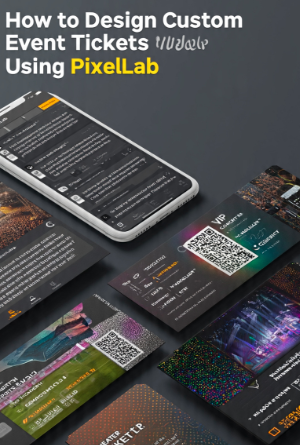
Event tickets are more than simple entry passes—they are an important part of the overall event experience. Whether you’re organizing a concert, wedding, conference, sports competition, music festival, charity fundraiser, business seminar, or birthday celebration, a professionally designed ticket helps build excitement while reinforcing your event’s identity. A visually appealing ticket can also serve as a memorable keepsake for attendees.
Creating attractive event tickets no longer requires expensive desktop software. PixelLab offers an easy-to-use yet powerful graphic design platform that allows anyone to create professional ticket designs directly from an Android device. With advanced typography, layer management, gradients, shapes, custom fonts, shadows, and image editing tools, PixelLab gives you complete creative control without a steep learning curve.
In this complete tutorial, you’ll learn how to design custom event tickets using PixelLab from start to finish. We’ll cover selecting the correct ticket size, building a balanced layout, choosing suitable fonts and colors, adding important event details, incorporating branding elements, and exporting your design for both digital sharing and professional printing.
Whether you’re a beginner designing your first ticket or a designer looking to improve your workflow, this guide will help you create tickets that are attractive, informative, and ready for any type of event.
Table of Contents
⭐ Why Professional Event Ticket Design Matters
A well-designed ticket is more than an admission pass. It reflects the professionalism of your event and creates a positive first impression before guests even arrive. Effective ticket design combines attractive visuals with clear information, making it easier for attendees to understand event details while enhancing the overall experience.
🎯 Creates a Strong First Impression
Your event ticket is often one of the first branded materials your audience sees. A professionally designed ticket with clean typography, balanced spacing, and eye-catching colors immediately communicates quality and credibility. This helps build confidence in your event and increases excitement among attendees.
🎨 Strengthens Brand Identity
Consistent branding across tickets, posters, social media graphics, and promotional materials makes your event more recognizable. Including your logo, brand colors, and typography creates a unified visual identity that audiences can easily remember.
📋 Organizes Essential Information
An effective ticket clearly displays the event name, date, time, venue, seating information, ticket number, QR code or barcode, and organizer details. Organizing this information in a logical layout improves readability while maintaining a professional appearance.
📸 Creates a Memorable Keepsake
Many attendees keep tickets as souvenirs, especially for concerts, festivals, sports events, and special celebrations. A visually appealing design adds sentimental value and encourages people to remember the event long after it has ended.
📱 Why Use PixelLab for Ticket Design?
PixelLab has become one of the most popular mobile graphic design applications because it combines professional creative tools with an intuitive interface. It enables users to design high-quality event tickets without needing advanced desktop software.
✍️ Powerful Typography Features
Typography plays a central role in ticket design. PixelLab allows you to customize fonts with outlines, shadows, gradients, spacing adjustments, and color effects. These features help emphasize important details such as the event title, ticket category, and venue while maintaining excellent readability.
🎨 Flexible Layer Management
PixelLab uses layer-based editing, allowing text, logos, images, icons, and decorative elements to be edited independently. This flexibility makes it easier to organize your design and create polished layouts for different event types.
🌈 Creative Design Effects
The application includes gradients, shadows, shapes, transparency controls, stickers, and image editing features that help transform simple tickets into visually engaging designs. When used thoughtfully, these effects create depth and improve the overall appearance without making the ticket feel cluttered.
📱 Convenient Mobile Workflow
Unlike traditional desktop design software, PixelLab lets you create professional tickets directly from your smartphone or tablet. This makes it ideal for freelancers, event organizers, students, and small businesses that need quick, high-quality designs on the go.
💰 Budget-Friendly Solution
PixelLab offers a wide range of professional features at a low cost, making it an excellent choice for individuals and organizations that want attractive event tickets without investing in expensive graphic design software.



📐 Recommended Ticket Sizes
Choosing the correct dimensions ensures your event ticket looks professional whether it’s printed or shared digitally. Different events may require different formats, but these sizes work well for most projects.
| 🎟️ Ticket Type | 📐 Recommended Size |
|---|---|
| Standard Printed Ticket | 5.5 × 2 inches |
| VIP Event Ticket | 6 × 2.5 inches |
| Concert Ticket | 5.5 × 2 inches |
| Festival Pass | 3.5 × 8 inches |
| Digital Event Ticket | 1080 × 540 px |
| QR Code Ticket | 1080 × 1080 px |