


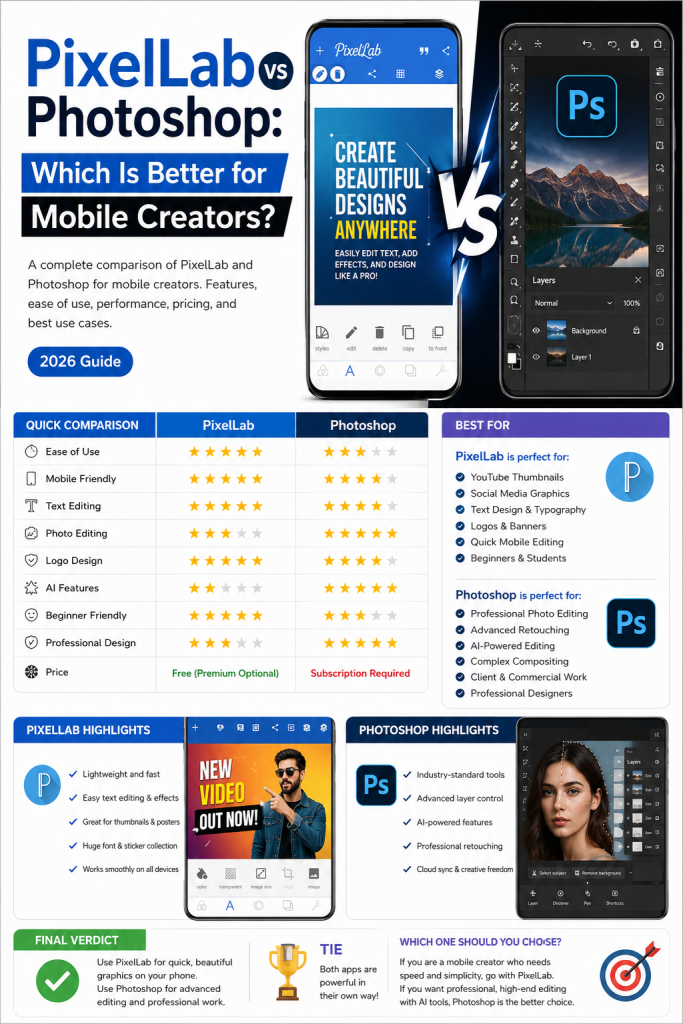
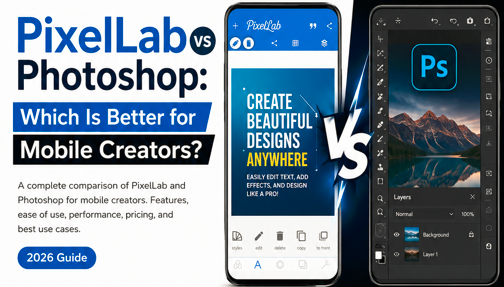
If you’re a mobile creator looking to design eye-catching graphics, edit images, or create social media content, you’ve probably come across PixelLab and Adobe Photoshop. Both are powerful tools, but they serve different types of users and creative needs.
So, which one is better for mobile creators in 2026?
In this detailed comparison, we’ll explore the features, ease of use, performance, pricing, and best use cases for both apps to help you choose the right tool.
Table of Contents
Quick Comparison

Name
PixelLab vs Photoshop: Which Is Better for Mobile Creators? (2026 Guide)
Date
Catagory
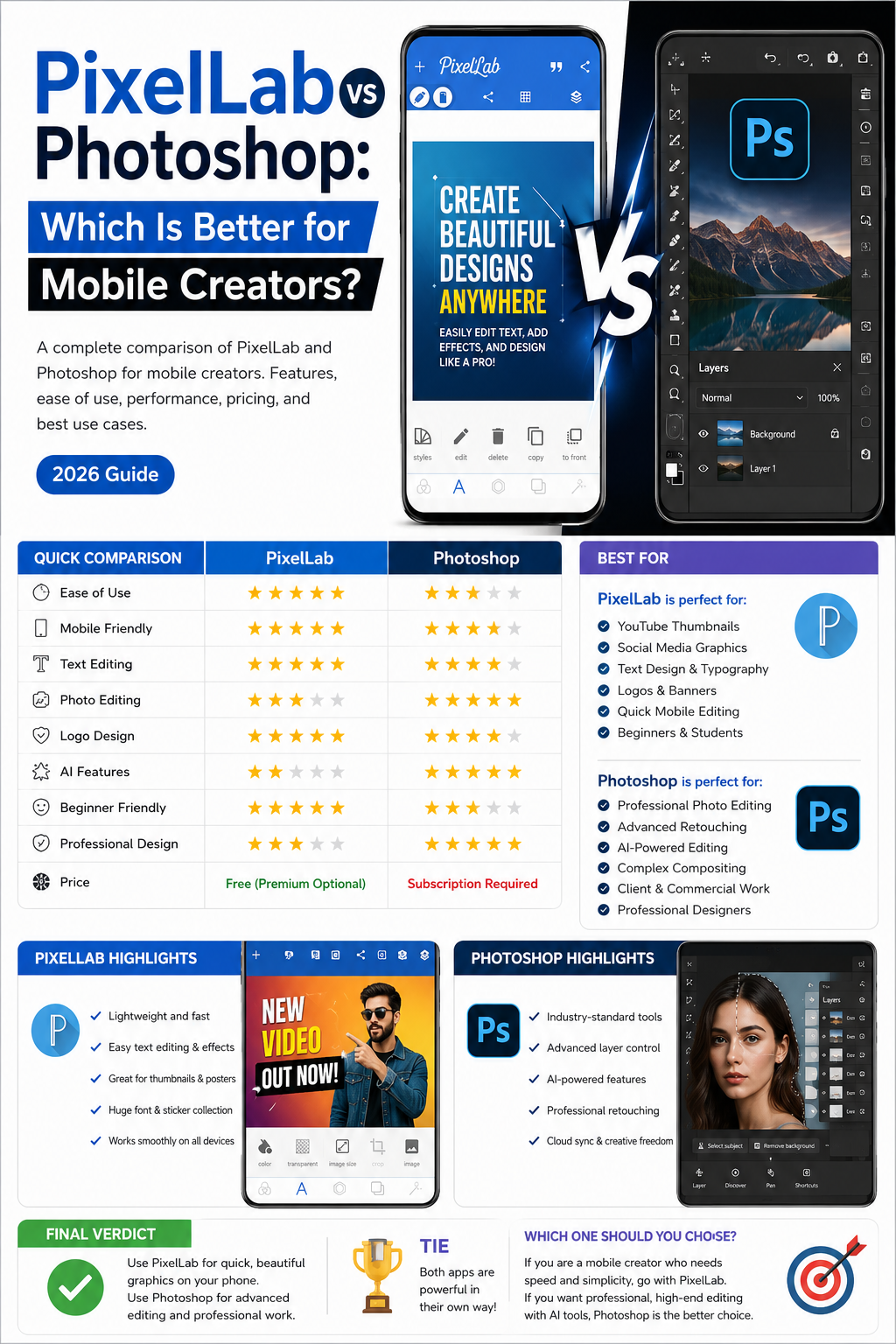
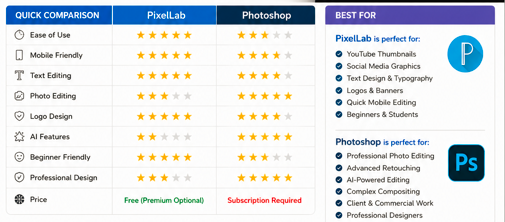
| Feature | PixelLab | Photoshop |
|---|---|---|
| Ease of Use | ⭐⭐⭐⭐⭐ | ⭐ |
| Mobile Friendly | ⭐⭐⭐⭐⭐ | ⭐⭐⭐⭐ |
| Text Editing | ⭐⭐⭐⭐⭐ | ⭐⭐⭐⭐ |
| Photo Editing | ⭐⭐⭐ | ⭐⭐⭐⭐⭐ |
| Logo Design | ⭐⭐⭐⭐⭐ | ⭐⭐⭐⭐ |
| AI Features | ⭐⭐ | ⭐⭐⭐⭐⭐ |
| Friendly Beginner | ⭐⭐⭐⭐ | ⭐⭐ |
| Professional Design | ⭐⭐⭐ | ⭐⭐⭐⭐⭐ |
| Price | Free with optional premium features | Subscription required for full features |
What Is PixelLab?
PixelLab is a lightweight graphic design app designed primarily for Android users. It allows creators to add stylish text, create logos, design thumbnails, make posters, and produce social media graphics directly from a smartphone.
Because of its simple interface, PixelLab has become a favorite among YouTubers, freelancers, students, and small business owners who need quick, attractive designs without a steep learning curve.
Best Features of PixelLab
- Easy text editing
- Hundreds of font options
- 3D text effects
- Shadow and stroke customization
- Background removal support
- Stickers and shapes
- Gradient tools
- Simple layer management
- Fast performance on most Android devices
What Is Photoshop?
Adobe Photoshop is one of the world’s most advanced image editing applications. While it started as desktop software, Adobe now offers mobile versions that include many professional editing capabilities.
Photoshop is widely used by photographers, designers, agencies, marketers, and digital artists.
Best Features of Photoshop
- Professional photo retouching
- Advanced layer management
- AI-powered editing tools
- Object selection
- Background replacement
- Smart masking
- High-end color correction
- Professional brushes
- Cloud synchronization
Ease of Use
PixelLab
PixelLab is designed for beginners. Most tools are easy to understand, making it possible to create attractive graphics within minutes.
There is very little learning required.
Winner: PixelLab
Photoshop
Photoshop provides incredible creative freedom, but it also has a much steeper learning curve. Beginners may need tutorials before becoming comfortable with the interface.
Winner for Professionals: Photoshop

Mobile Performance
PixelLab is optimized for Android devices and runs smoothly even on budget smartphones.
Photoshop Mobile is more demanding and performs best on newer devices with more RAM and processing power.
For creators using entry-level or mid-range phones, PixelLab often delivers a smoother experience.
Winner: PixelLab
Text Design
Text editing is one of PixelLab’s strongest features.
You can easily:
- Create 3D text
- Add shadows
- Apply gradients
- Use custom fonts
- Curve text
- Add outlines
- Create YouTube thumbnails
Photoshop also supports excellent typography, but its workflow is more complex for quick mobile projects.
Winner: PixelLab
Photo Editing
When it comes to professional image editing, Photoshop is in a completely different category.
It offers:
- Advanced retouching
- Skin smoothing
- AI object removal
- Precise masking
- Color grading
- RAW editing
PixelLab includes only basic photo editing capabilities.
Winner: Photoshop
Logo Design
PixelLab is surprisingly effective for simple logo creation.
Many beginners use it to design:
- Business logos
- Gaming logos
- YouTube channel logos
- Social media branding
Photoshop provides greater precision and advanced tools for professional branding projects.
Winner: Tie

AI Features
Adobe continues to expand Photoshop with AI-powered tools, including:
- Generative Fill
- Smart object selection
- AI background replacement
- Automatic retouching
PixelLab focuses on manual editing and does not offer the same level of AI assistance.
Winner: Photoshop
Social Media Content
For creators producing content for:
- YouTube
- TikTok
PixelLab is often the faster choice.
Creating thumbnails, quotes, banners, and promotional graphics usually takes only a few minutes.
Winner: PixelLab
Pricing
PixelLab
- Free version available
- Affordable premium options
- Great value for beginners
Photoshop
- Subscription required for the full experience
- Better suited to professionals who need advanced editing features
Winner: PixelLab
Pros and Cons
PixelLab Pros
- Beginner-friendly
- Lightweight
- Excellent text editing
- Fast on mobile devices
- Great for thumbnails and social graphics
- Affordable
PixelLab Cons
- Limited advanced photo editing
- Fewer professional design tools
- Basic layer system
Photoshop Pros
- Industry-standard editing
- Powerful AI tools
- Advanced layer support
- Professional color correction
- Excellent masking tools
- Cloud integration
Photoshop Cons
- Subscription cost
- Steeper learning curve
- Higher hardware requirements
Who Should Choose PixelLab?
PixelLab is ideal if you are:
- A YouTube creator
- A social media manager
- A student
- A beginner designer
- A freelancer creating quick graphics
- A small business owner
- A content creator working mainly from a smartphone
Who Should Choose Photoshop?
Photoshop is a better fit if you:
- Edit professional photos
- Create commercial graphics
- Work with clients
- Need advanced retouching
- Require precise layer editing
- Use AI-powered editing workflows
Frequently Asked Questions
Is PixelLab better than Photoshop for beginners?
Yes. PixelLab has a simpler interface and is much easier to learn for users who primarily create text-based graphics and social media designs.
Can PixelLab replace Photoshop?
Not entirely. PixelLab is excellent for quick mobile designs, while Photoshop offers advanced editing tools that professionals often require.
Which app is better for YouTube thumbnails?
PixelLab is one of the fastest and easiest apps for creating attractive YouTube thumbnails on Android devices.
Which app is better for professional photo editing?
Photoshop remains the better choice thanks to its advanced editing, masking, and AI-powered tools.

Final Verdict
Choosing between PixelLab and Photoshop depends on your creative goals.
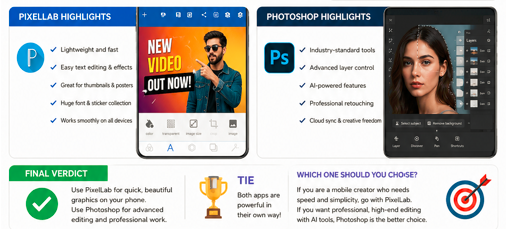
If you want a fast, easy-to-use app for creating thumbnails, posters, logos, and social media graphics directly from your phone, PixelLab is an excellent choice. Its simplicity and speed make it ideal for mobile creators who value efficiency.
If your work involves advanced photo editing, professional design projects, or AI-powered image manipulation, Photoshop offers a much broader set of tools and greater creative flexibility.
For many mobile creators, the best approach is to use PixelLab for quick graphic design and Photoshop for advanced editing tasks, allowing you to take advantage of each app’s strengths.