
PixelLab vs Pixlr: Which Editor Is Right for You?
📱 Introduction
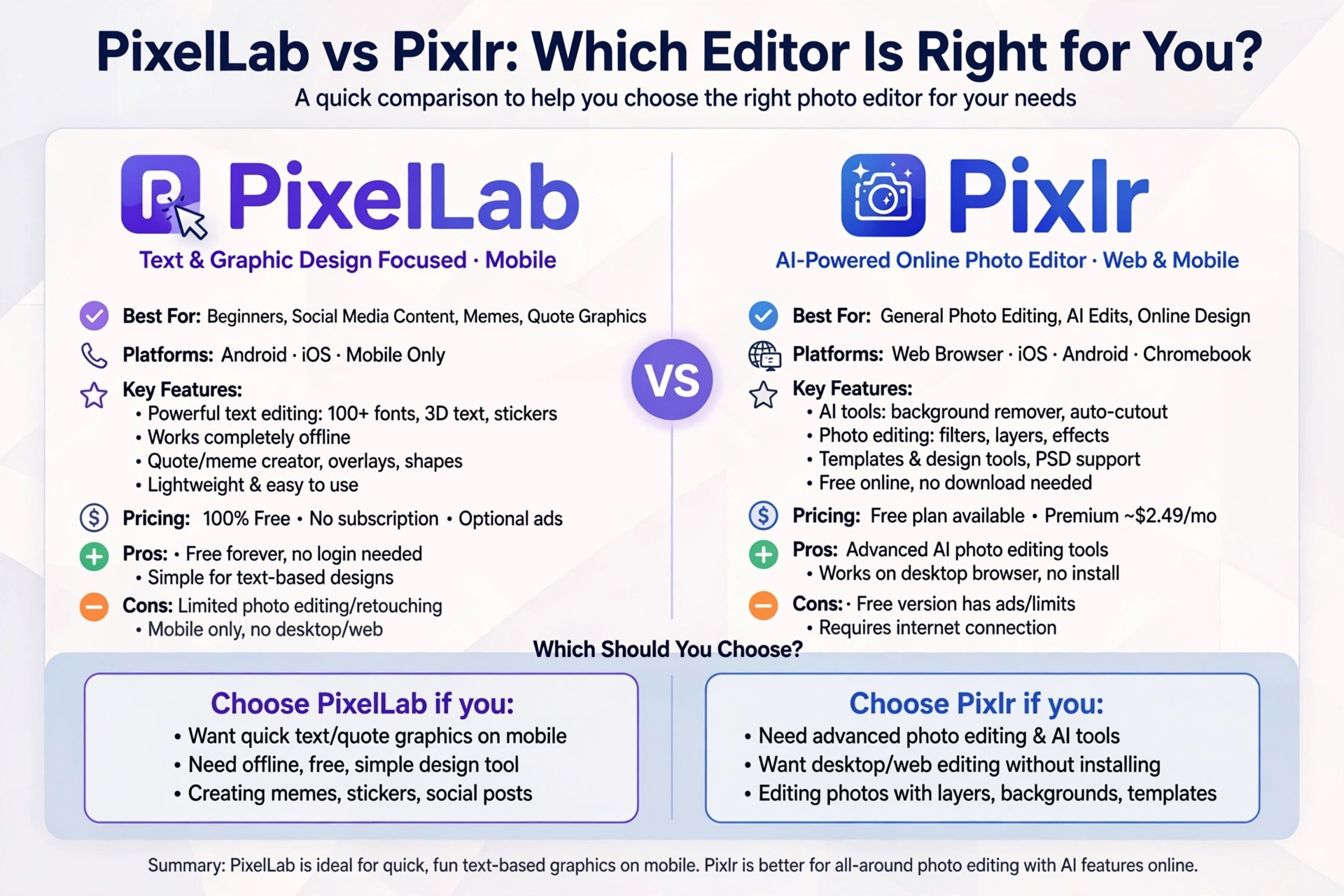
Choosing the right photo editing app can significantly improve your creative workflow, whether you’re designing social media graphics, editing photos, or creating marketing materials. Two popular options that often appear in discussions are PixelLab and Pixlr. While both are powerful editing tools, they serve different purposes and cater to different types of users. PixelLab vs Pixlr: Which Editor Is Right for You?
PixelLab is widely recognized for its advanced text editing and graphic design capabilities, making it a favorite among content creators, marketers, and small business owners. Pixlr, on the other hand, is known for its powerful photo editing features, AI-powered tools, and browser-based accessibility.
In this comparison, we’ll explore their features, strengths, weaknesses, and ideal use cases to help you decide which editor is the better choice.
🎨 What is PixelLab?
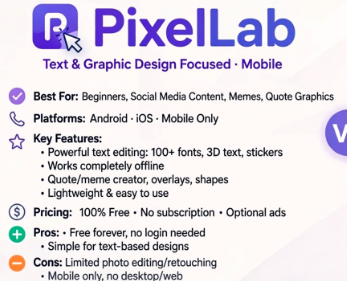
PixelLab is a mobile graphic design application that focuses on creating visually appealing designs with advanced text editing. It allows users to create logos, posters, YouTube thumbnails, Instagram posts, banners, business cards, and more directly from their smartphones.
Key Features
- Advanced text editing
- Hundreds of fonts
- 3D text effects
- Shadow and stroke effects
- PNG image support
- Shape tools
- Gradient backgrounds
- Layer management
- Custom font installation
PixelLab is especially useful for users who frequently work with typography and social media graphics.
🖼️ What is Pixlr?
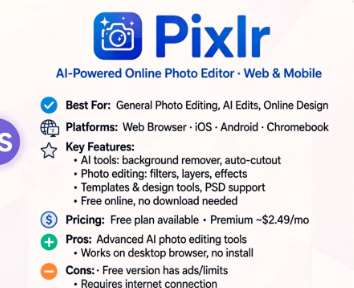
Pixlr is a cloud-based photo editing platform available through web browsers and mobile apps. It provides professional editing tools with an intuitive interface suitable for beginners and experienced editors alike.
Key Features
- AI background removal
- One-click photo enhancements
- Filters and effects
- Collage maker
- Layer-based editing
- Image retouching
- Templates for social media
- Web and mobile access
Pixlr is ideal for users who primarily edit photographs rather than create graphic designs.
⚖️ PixelLab vs Pixlr: Feature Comparison
| Feature | PixelLab | Pixlr |
|---|---|---|
| Text Editing | ⭐⭐⭐⭐⭐ | ⭐⭐⭐ |
| Photo Editing | ⭐⭐⭐ | ⭐⭐⭐⭐⭐ |
| AI Tools | ❌ Limited | ✅ Extensive |
| Templates | ⭐⭐⭐ | ⭐⭐⭐⭐⭐ |
| Layer Support | Basic | Advanced |
| Background Removal | Basic | AI-Powered |
| Filters | Moderate | Extensive |
| Mobile Support | Excellent | Excellent |
| Web Version | No | Yes |
| Ease of Use | Very Easy | Easy |
| Graphic Design | Excellent | Good |
| Professional Photo Editing | Limited | Excellent |
✍️ Text Editing
One of PixelLab’s biggest strengths is its text editing capabilities.
You can:
- Add stylish typography
- Install custom fonts
- Create curved text
- Apply 3D effects
- Add shadows and outlines
- Use gradient text
Pixlr includes basic text editing, but it isn’t designed for typography-focused projects.
Winner: 🏆 PixelLab
📷 Photo Editing
Pixlr clearly leads in photo editing.
It includes:
- Color correction
- Exposure adjustment
- AI enhancements
- Skin retouching
- Blur effects
- Background removal
- Healing tools
PixelLab provides basic image editing but lacks many advanced photo editing tools.
Winner: 🏆 Pixlr
🤖 AI Features
Pixlr has invested heavily in AI-powered editing.
Popular AI features include:
- AI background removal
- AI image generation
- AI object removal
- Auto enhancement
- AI cutout
PixelLab focuses more on manual graphic design tools.
Winner: 🏆 Pixlr
🎨 Templates and Design
If you need ready-made templates for social media, Pixlr offers a larger library.
However, PixelLab gives users greater freedom to design from scratch using custom layouts, text effects, and graphics.
Choose PixelLab if you prefer complete creative control.
Choose Pixlr if you prefer quick editing with pre-designed templates.
📱 User Interface
PixelLab has a clean interface that is easy to learn.
Pixlr also offers a modern design, but its larger feature set may require more time to master.
Both apps provide smooth workflows for beginners.
🚀 Performance
PixelLab runs efficiently even on many mid-range Android devices due to its lightweight design.
Pixlr, especially the web version, depends more on your device and internet connection when using cloud-based features.
💰 Pricing
PixelLab
- Free version available
- Premium features may vary depending on the version you use
Pixlr
- Free version available
- Premium subscription unlocks advanced AI tools and additional features
Both provide free options suitable for casual users.
👍 Pros and Cons
PixelLab
Pros
- Excellent typography tools
- Easy to use
- Lightweight
- Perfect for graphic design
- Great for social media creators
Cons
- Limited advanced photo editing
- No AI editing features
- No browser version
Pixlr
Pros
- Powerful photo editing
- AI-powered tools
- Works on web and mobile
- Excellent filters
- Professional editing features
Cons
- Advanced features require a premium plan
- Text editing is less powerful than PixelLab
👤 Who Should Choose PixelLab?
PixelLab is the better option if you regularly create:
- YouTube thumbnails
- Logos
- Posters
- Flyers
- Business cards
- Instagram Stories
- Facebook posts
- Text-based designs
👤 Who Should Choose Pixlr?
Pixlr is the better choice if you mainly edit:
- Portraits
- Product photos
- Social media images
- Travel photography
- Marketing images
- Professional photographs
🏆 Final Verdict
PixelLab and Pixlr are both excellent editors, but they are designed for different creative needs.
If your primary focus is graphic design, typography, and social media content, PixelLab is the stronger choice. Its advanced text tools, customizable fonts, and intuitive interface make it ideal for creating eye-catching visual designs.
If your work revolves around photo editing, AI-powered enhancements, and image retouching, Pixlr offers a broader set of editing tools and professional features. Its web accessibility and intelligent editing capabilities make it a versatile solution for photographers and digital creators.
Ultimately, the right editor depends on your workflow. Many creators even use both—PixelLab for designing graphics and Pixlr for enhancing photos before adding text and branding.
❓ Frequently Asked Questions
Is PixelLab better than Pixlr?
PixelLab is better for graphic design, text effects, and creating marketing materials, while Pixlr is better for professional photo editing and AI-powered image enhancements.
Can I use both PixelLab and Pixlr together?
Yes. Many designers edit photos in Pixlr and then use PixelLab to add text, logos, and graphic elements.
Which app is easier for beginners?
Both are beginner-friendly, but PixelLab has a simpler interface for creating text-based designs.
Does Pixlr offer AI editing tools?
Yes. Pixlr includes AI-powered features such as background removal, object removal, and automatic photo enhancement.
Which app is best for Instagram content?
For text-heavy graphics, quotes, stories, and promotional posts, PixelLab is an excellent choice. For editing photos before posting, Pixlr is a strong option.