
📚 How to Make Eye-Catching Book Covers in PixelLab
📖 Introduction
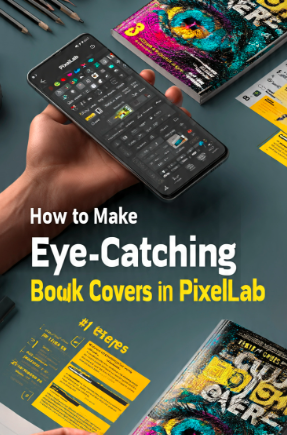
A book cover is much more than a decorative image—it is the first impression readers have of your work. Whether you’re publishing an eBook on Amazon Kindle, creating a printed novel, designing a workbook, or preparing a digital guide, an attractive cover plays a significant role in encouraging readers to explore your content. A well-designed book cover communicates professionalism, builds trust, and reflects the quality of what’s inside.
Many people assume they need expensive desktop software like Adobe Photoshop or Illustrator to create a professional-looking cover. However, PixelLab offers an affordable and beginner-friendly alternative. With powerful typography tools, customizable layers, color controls, image editing features, and creative effects, PixelLab allows you to design impressive book covers directly from your Android device.
In this comprehensive guide, you’ll learn how to make eye-catching book covers in PixelLab using practical design techniques that are easy to follow. Whether you’re a beginner or an experienced designer, this tutorial will help you create covers that are visually appealing, well-balanced, and suitable for both digital and print publishing.
By the end of this guide, you’ll understand how to choose the right dimensions, create balanced layouts, use typography effectively, apply color psychology, and export your design in high quality.
Table of Contents
🎯 Why Book Cover Design Matters
Your book cover is one of the most powerful marketing tools you have. Before readers discover your story, they notice the cover. A professionally designed cover creates curiosity, communicates the genre, and encourages potential readers to click, download, or purchase your book. Investing time in an attractive design can improve visibility and increase the perceived value of your work.
📚 Creates a Strong First Impression
The cover is the first thing readers see on online marketplaces, bookstores, or social media. A clean, modern, and visually engaging design helps your book stand out among thousands of competing titles. Strong first impressions often influence whether someone chooses to learn more about your book.
🎨 Reflects the Book’s Theme
Every successful cover communicates the mood and genre of the content inside. A mystery novel may use dark colors and dramatic imagery, while a romance book might feature warm tones and elegant typography. Matching the design style to your book’s subject helps readers understand what to expect.
⭐ Builds Trust and Professionalism
A polished cover signals quality. Readers are naturally more confident in books that appear professionally designed. High-quality typography, balanced layouts, and carefully selected colors demonstrate attention to detail and strengthen your credibility as an author or publisher.
📈 Increases Sales Potential
Books with attractive covers generally receive more attention in search results and online stores. While the content determines reader satisfaction, the cover often determines whether readers click on the book in the first place. A compelling design can improve click-through rates and support better sales performance.
📱 Why Use PixelLab for Book Cover Design?
PixelLab is one of the most versatile mobile graphic design applications available today. It offers a wide range of creative tools that make it suitable for designing professional book covers without requiring advanced software or graphic design experience.
✍️ Powerful Typography Tools
Typography plays a central role in book cover design. PixelLab allows you to customize fonts with shadows, outlines, gradients, spacing adjustments, and text effects, making it easy to create eye-catching titles that remain clear and readable.
🎨 Layer-Based Editing
Each design element—including text, images, icons, and decorative shapes—can be placed on its own layer. This makes editing easier and provides greater flexibility when arranging your composition. Layer management also helps you create more organized and professional designs.
🌈 Creative Effects
PixelLab includes built-in features such as drop shadows, reflections, color gradients, strokes, and perspective effects. When used thoughtfully, these tools add depth and visual interest without overwhelming the design.
📱 Design Anywhere
Unlike desktop software that requires a computer, PixelLab lets you work directly from your smartphone. This flexibility makes it convenient for freelancers, students, self-published authors, and content creators who want to design on the go.
💰 Budget-Friendly Solution
PixelLab provides many advanced design capabilities without the high subscription costs associated with professional desktop applications. It is an excellent option for beginners, independent authors, and small businesses working with limited budgets.
📐 Recommended Book Cover Sizes
Selecting the correct canvas size is essential to ensure your cover looks sharp and professional on both digital platforms and printed books. Different publishing services may have specific requirements, but the following sizes work well for many projects.
| 📖 Book Type | 📐 Recommended Size |
|---|---|
| Cover eBook | 1600 × 2560 px |
| Paperback Cover | 6 × 9 inches (with bleed if required) |
| Hardcover Cover | Depends on trim size and spine width |
| Workbook A4 | 2480 × 3508 px |
| Journal Cover | 1800 × 2700 px |