
PixelLab vs Afterlight: Which App Delivers Better Photo Editing Results?
Introduction
Choosing the right photo editing app can significantly improve your creative workflow. Two popular options, PixelLab and Afterlight, offer different strengths. While PixelLab is widely recognized for text-based graphic design and simple image editing, Afterlight focuses on professional photo enhancement with advanced editing tools. PixelLab vs Afterlight: Which App Delivers Better Photo Editing Results?
This comparison explores the features, strengths, and ideal use cases of both apps to help you decide which one best fits your editing needs.
Table of Contents
What Is PixelLab?
PixelLab is an Android-focused application designed for creating graphics with customizable text, shapes, stickers, and basic photo editing features. It is commonly used for thumbnails, social media posts, logos, posters, and promotional graphics.
Key Features
- Text editing with hundreds of fonts
- 3D text effects
- Background removal
- Layer support
- Stickers and shapes
- Shadow and stroke effects
- Export in high resolution
Advantages
- Beginner-friendly interface
- Lightweight and fast
- Excellent for text-heavy designs
- Free to use with many features
Limitations
- Limited professional photo correction
- Fewer advanced color grading tools
- No RAW photo editing
What Is Afterlight?
Afterlight is a photo editing application available on Android and iOS that emphasizes image enhancement. It provides powerful editing tools suitable for photographers, influencers, and creative professionals.
Key Features
- Advanced color correction
- Curves adjustment
- Selective editing
- Professional filters
- Texture overlays
- Dust and light leak effects
- RAW image support (on supported devices)
Advantages
- High-quality editing controls
- Excellent color grading
- Premium filters
- Modern user interface
Limitations
- Many features require a subscription
- Less suitable for graphic design projects
Feature Comparison
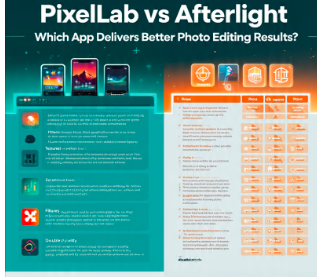
| Feature | PixelLab | Afterlight |
| —————— | ——— | ———- |
| Text Design | Excellent | Basic |
| Photo Retouching | Basic | Excellent |
| Color Grading | Limited | Advanced |
| Layers | Yes | Limited |
| RAW Editing | No | Yes |
| Background Removal | Yes | Limited |
| Templates | Basic | Moderate |
| Beginner Friendly | Excellent | Very Good |
Performance
PixelLab performs well on entry-level Android devices because of its lightweight design. It launches quickly and requires fewer system resources.
Afterlight delivers smooth performance on modern smartphones but may require more processing power, especially when editing high-resolution images.
Which App Is Better?
The better app depends on your needs.
Choose PixelLab if you:
- Create YouTube thumbnails
- Design posters or flyers
- Add creative text to images
- Need a free, lightweight editor
Choose Afterlight if you:
- Edit professional photographs
- Want advanced color grading
- Need RAW photo support
- Focus on photography rather than graphic design
Final Verdict
Both applications serve different purposes rather than competing directly.
PixelLab is an excellent choice for graphic designers, content creators, and social media marketers who frequently work with typography and promotional graphics.
Afterlight is better suited for photographers and users seeking advanced photo enhancement tools with professional editing capabilities.
If your primary focus is advanced photo editing, Afterlight offers a more comprehensive set of editing tools. If your work revolves around creative graphic design and text-based visuals, PixelLab remains one of the strongest options available.
If you’re building notomy.com, I can also help you create original, reader-focused comparisons like this that are informative and well-organized.